Coverage
Route a teammate's mentions to someone else while they're away.
Coverage stops voicemails from sitting unread while someone is away. When a user has a cover set, the voicemails the AI would automatically assign to them — including when a patient asks for them by name — are routed to the person covering for them instead.
Why coverage exists
Without coverage, when a patient asks for a teammate who's away, the AI assigns the voicemail to that teammate, it sits unread for two weeks, nobody else sees it, and the patient hears nothing.
Coverage fixes this. It says: "While I'm away, the voicemails the AI would send me should reach this person instead."
Note that coverage only redirects the AI's automatic assignment. It does not redirect a manual @-mention a colleague types in a comment — see How AI uses coverage below.
Setting a cover
Coverage is a single setting on a user's account: who covers them right now. There are no start or end dates — a cover is in effect for as long as one is set, and coverage ends the moment you clear it.
Open the user → Settings → the Covered by card, and pick the covering colleague:
- Covered by — the colleague who receives this user's redirected voicemails while the cover is set. They must share a practice with this user (the app enforces this). Leave it empty when no one is covering.
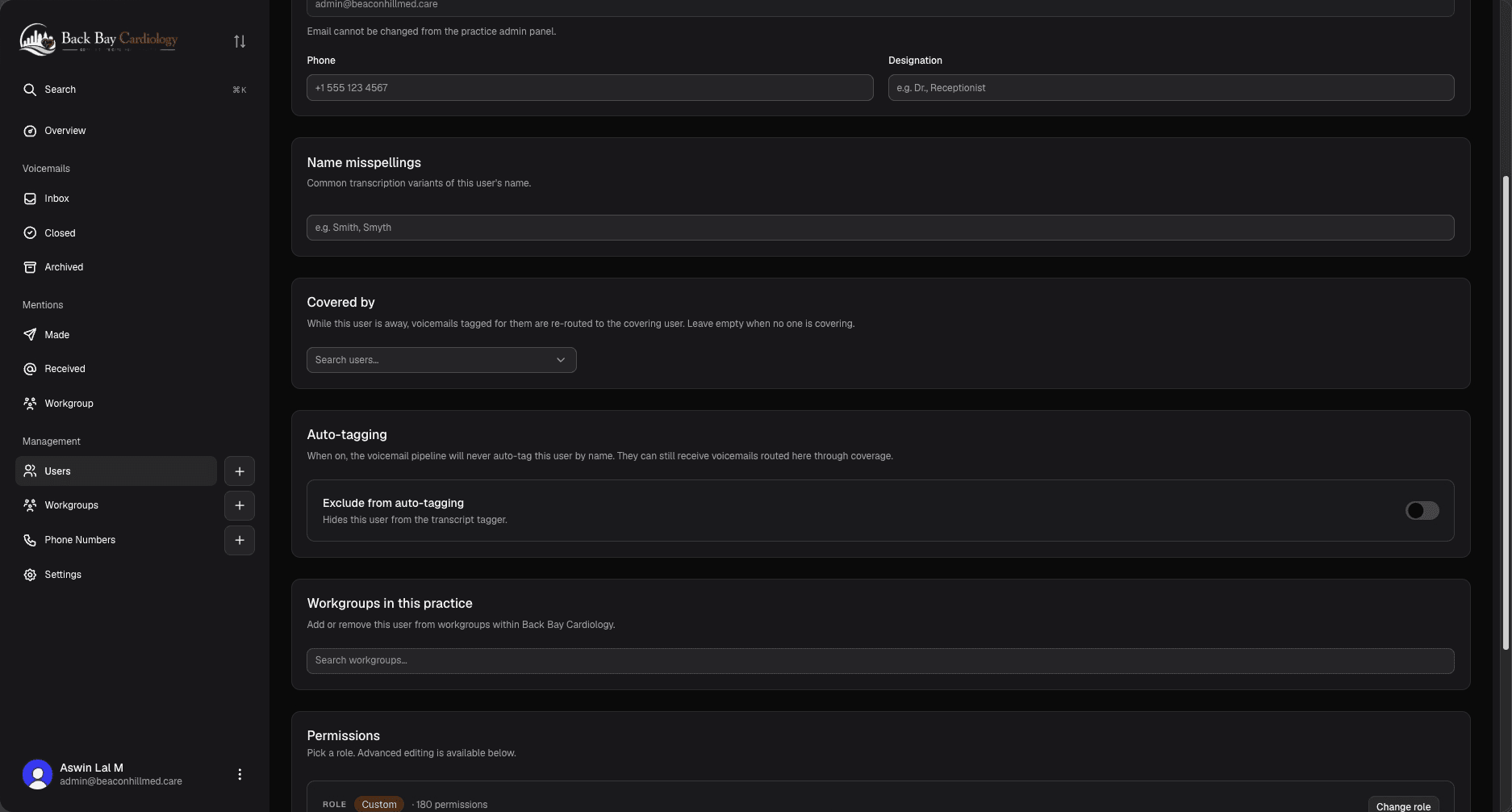 Screenshot: the Covered by card on a user's Settings page — a single colleague picker, no dates.
Coverage is a user-management setting, so it's changed by anyone who can manage that user — Hospital Admins and Staff, Practice Admins and Staff, and Workgroup Leads (see Permissions). If you're heading out and can't edit it yourself, ask one of them to set your cover.
Ending coverage
Clear the Covered by field (leave it empty) and save. Mentions immediately stop being redirected. Because there's no end date, coverage doesn't expire on its own — remember to clear it when the person is back.
How AI uses coverage
When a voicemail arrives and the AI assigns it to a teammate, it checks whether that teammate has a cover set:
- No cover — the voicemail is assigned to them.
- Cover set — the voicemail is assigned to the covering user instead.
This applies only to the AI's automatic assignment at intake. A manual @-mention someone types in a comment is not redirected — it always notifies the person named. If you're covering for a colleague, ask teammates to @-mention you directly on anything already in flight.
Coverage chains
If the covering colleague also has a cover set, it applies on top of yours — the mention follows the chain to whoever's actually available. The chain is resolved at the moment the mention happens, not when the cover was set.
In practice this means: just set each person's cover. The system figures out the chain.