Phone Numbers
Route your hospital's phone numbers into Novapulse.
Phone numbers are how voicemails get into Novapulse. Every voicemail in the inbox came in on a phone number that you've routed here. This page covers how to set that up.
How routing works
There are two common patterns:
- Forward your existing number. Your hospital keeps the number patients already know. When it goes unanswered, your provider forwards the call to a Novapulse phone number. Novapulse picks up, plays your greeting, and records the voicemail.
- Use a Novapulse-provided number directly. Novapulse provides a new number and you give that number to patients. No forwarding needed.
Most hospitals use pattern (1) for their main line and pattern (2) for new departments or campaigns.
Adding a phone number to a practice
Open a practice → Phone Numbers → New phone number. Phone numbers can be added by Hospital Admins, Hospital Staff, and Practice Admins (see Permissions).
You search for an available number (by area code, or by digits it should contain), pick one from the results, and add it. You choose whether to attach it to the practice as a whole or to a specific workgroup inside it.
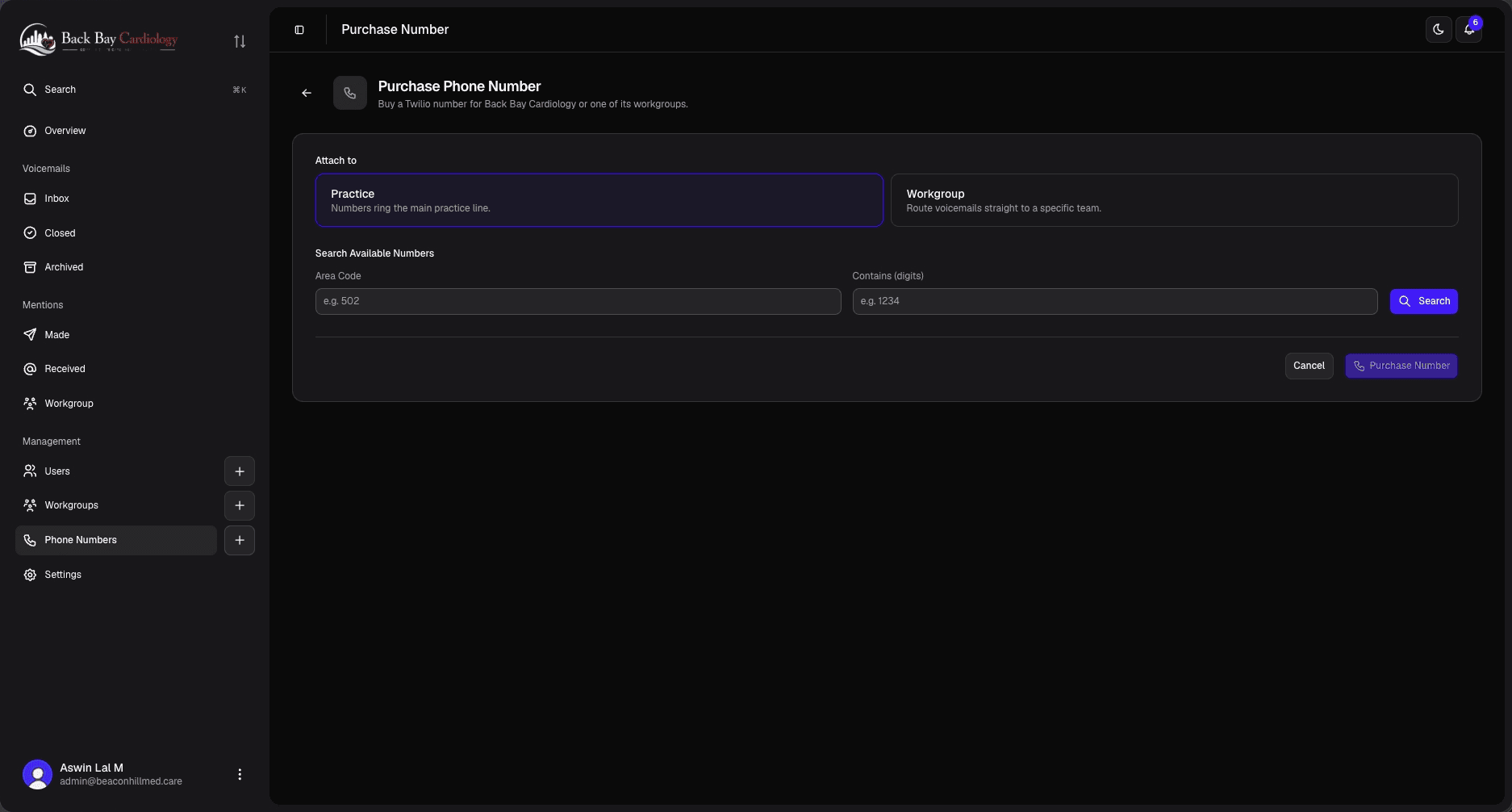
Once added, the number is live immediately, and the next missed call to it lands in this practice's voicemail inbox. Greetings and open-versus-after-hours behaviour aren't set on the number itself: greetings come from practice and workgroup settings, and open hours versus after hours is driven by workgroup on-call schedules.
Testing a number
The easiest way to check a number works is to call it from your own phone and let it go to voicemail. Within 10–30 seconds the voicemail should appear in the matching practice's inbox.
If it doesn't:
- Confirm the number is attached to a practice or workgroup in Phone Numbers (not unassigned).
- Confirm the number is active (not released or suspended).
- If the caller heard the wrong greeting, check the practice or workgroup greetings and any on-call schedule that was active at the time.
Re-routing or releasing a number
Click a number in the list to open it. Its detail view shows the number's info and a Routing panel where you can attach it to, or detach it from, a practice or workgroup. A number points at one place at a time, so re-routing is a detach-then-attach.
There's no per-number settings editor, and numbers aren't deleted from this screen. To release a number entirely, contact the Novapulse team.
Voicemails that came in on a number stay in the inbox even after it's re-routed or released.